












BG3MMはもういらない
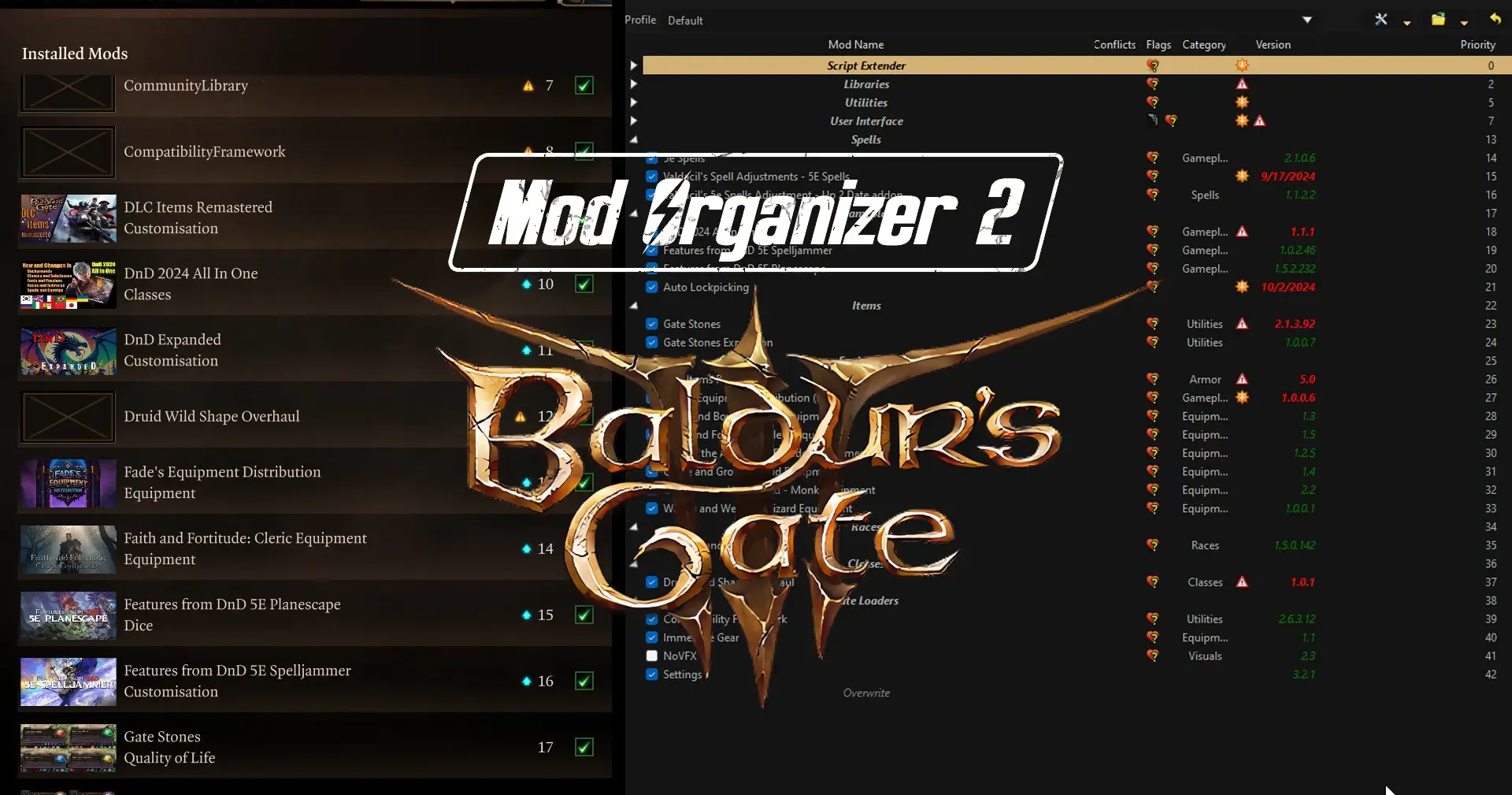
ついにBaldur’s Gate 3のMODがMO2で管理できるようになりました。
Bethesda信者からすると神みたいなプラグインができたぞ!
コメントする
特徴
- MODのロードオーダー(読み込み順序)の自動生成
- 複数の
.pakファイルを含むMODのサポート - Norbyteによる「Baldur’s Gate 3 Script Extender(SGE)」の設定MODのサポート
- SGE設定MODのオーバーライド生成
神すぎる。
コメントする
導入
Mod Organizer 2.5.2のインストール
- 公式サイトからMO2をダウンロードし、指示に従ってインストールします。
Kezyma’s Root Builder for Mod Organizerのインストール
Kezyma’s Root BuilderはMO2のプラグインで、ゲームのベースフォルダ(ルートディレクトリ)をMO2から直接管理できるようにします。この機能により、ゲームフォルダを新品同様の状態(バニラ状態)に保ちながら、MODの導入や設定が可能になります。
つまり今までMODとして導入できなかった、スクリプト拡張ツール(例:SkyrimのSKSE、FalloutのF4SEなど)やDLLを追加するツールをMODとしてMO2で管理できるようになり、ルートディレクトリ内を汚さず安全に拡張ツールを管理できます。
主な機能
- スクリプトエクステンダーのインストールサポート
- SKSE(Skyrim Script Extender)やOBSE(Oblivion Script Extender)、FOSE(Fallout Script Extender)などのスクリプトエクステンダーをMO2経由で簡単にインストール可能。
- ENBとプリセットの管理
- ENB(グラフィックス向上ツール)やそのプリセットをMO2内で管理可能。異なるENB設定を簡単に切り替えられるため、ビジュアルの最適化が容易です。
- 同一ゲームの異なるバージョンをMODとして管理
- 異なるゲームバージョンを「MOD」として扱うことで、必要に応じて切り替えが可能に。
- ゲームフォルダの保護
- ゲームのインストールディレクトリを一切変更せず、初期状態を保つことができます。これにより、ファイルの競合や不具合が発生した場合でも簡単に復元可能です。
- MOD設定の保存と移行
- MO2内にすべてのMODを保存するため、再インストールやPCの変更があっても簡単に設定を引き継げます。
各種ランタイムのインストール
BG3-MO2-Unofficial-Pluginの動作に必要です。
コメントする
プラグインのダウンロード
- Baldur’s Gate 3 – Unofficial MO2 Supportを下記からダウンロードします。
取得時刻:2026年11月2日 4:24 PM(キャッシュ表示)
1.2.0
# Changelog
### Added
- A new tab for quick actions:
- Import manually installed mods
- Regenerate / Clear paks metadata for all mods or only the selected ones
- Dependencies status showing whether LSLib (.NET 8 Desktop Runtime) is installed
- Action log
- Archives with several variants now ask which one to install instead of installing all of them ([Mantis' Face Preset Collections](https://www.nexusmods.com/baldursgate3/mods/11456) were used as an example)
- New plugin settings:
- List override-only mods in modsettings.lsx (off by default)
- Use built-in pak reader as backup (on by default)
- Script Extender settings editor (experimental, off by default)
### Fixes
- modsettings.lsx now matches the format the game writes (should fix multiplayer mismatches)
- Override mods that also patch other mods are now added to the load order
- Loose mods placed in a Mods folder are now detected
- Mods with badly formatted meta.lsx files (common in older mods) are now read instead of skipped
- Fixed a rare issue that reset modsettings.lsx due to sudden crashes or alt f4
- LevelCache is no longer duplicated into overwrite on every launch
- Content icons show right after installing a mod
最新版のファイル一覧
ダウンロードしたファイルをC:\Modding\MO2\plugins\basic_games\gamesフォルダに全て抽出します。
下記のようなフォルダ構成になればOK。※Root Builderを入れる場合
-
Cドライブ
-
Modding
-
MO2
-
plugins
-
basic_games
-
games
- baldursgate3
- game_baldursgate3.py
-
games
- rootbuilder
-
basic_games
-
plugins
-
MO2
-
Modding
コメントする
実際にSK(Script Extender)を入れてみる
まずBG3SEをダウンロードする。
取得時刻:2026年11月2日 4:24 PM(キャッシュ表示)
Script Extender (2026 Oct 12)
## Installation
- Download the extender **[from here](https://github.com/Norbyte/bg3se/releases/download/v33/BG3SE-Updater-20261012.zip)**
- Extract `DWrite.dll` to the `Baldurs Gate 3\bin` directory (eg. `C:\Program Files (x86)\Steam\steamapps\common\Baldurs Gate 3\bin`)
## Changes in this updater release
- Updated embedded SE version to v33
最新版のファイル一覧
- BG3SE-Updater-20261012.zip (6 MB)
普通にMO2でBG3SEをMODとしてインストールする。
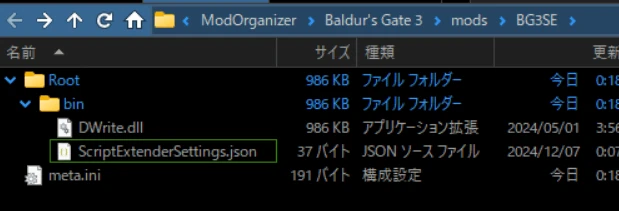
コンソールコマンドを有効にする場合は、以下をメモ帳に張り付けて、ScriptExtenderSettings.jsonと名前をつけて保存します。
(保存先はbinフォルダの中でOK)
{
    "CreateConsole": true
  }
コメントする
起動してみる
初回起動時、やたらと時間がかかる(フリーズしたように見える)が、これは正常らしい。
MODのロードオーダー用にキャッシュを作るのにかなり時間がかかるようです。ただ最初だけなので根気よくまっていればいいだろう。
またゲーム終了時も、MO2が再び操作可能になるまでしばらくかかる。
BG3 ToolKit(BG3のDLC、MOD開発キット)を消したら解消されました。





コメント